
VR Arcade Installation, Training and After-Sales Service
This page explains how LEKE VR handles VR arcade installation, site readiness, operator training, spare parts, remote diagnostics and warranty on installed equipment. It is written for operators who need to know what happens after the crate arrives — not a list of promises.
What our VR services cover
The scope depends on the equipment and the project. These are the VR equipment after-sales support areas we quote most often. On-site work is not automatically included in every equipment order.
Site readiness review
We check power, voltage, network, ceiling height, floor access and operator space against the model before shipment. Missing site work is easier to fix before the crate arrives.
Remote commissioning
A video call walks your technician through power-up, calibration, account login and a test cycle. We record the model and serial number for the service file.
On-site installation
Available by quotation for projects that need it. Travel, visa, local labor and site access are scoped separately; the equipment price does not automatically include an engineer visit.
Operator training
VR technician training covers startup, shutdown, daily checks, ticket flow, basic fault isolation and escalation. It is for your staff; it is not a formal technician certification course.
Remote diagnostics
Photo, video and log review to isolate the fault. We tell you what to test locally before proposing a part or an on-site visit.
Spare-parts dispatch
Model-specific parts are quoted and dispatched from Guangzhou. Customs, duty and local installation labor are the buyer's responsibility unless agreed otherwise.
For the company and factory behind the equipment, see About LEKE VR. For model specifications, see the product catalog.
Before the equipment ships
Most installation problems are site problems, not machine problems. We ask for these items before production is released.
| Item | What we need to confirm |
|---|---|
| Power | Voltage, phase, frequency, breaker size and distance to the machine. The model's electrical sheet is matched to the destination. |
| Network | Wired or Wi-Fi access, router location and whether the venue can allow outbound access for content updates and remote support. |
| Space and access | Footprint, ceiling height, door width, lift dimensions, floor load and the route from the truck to the install position. |
| Local labor | Who will receive the crate, move it, provide tools and assist with assembly. This is not included unless the quote says so. |
| Customs | Importer of record, duty, VAT and local clearance. The freight quote separates transport from destination charges. |
If you are unsure about a site item, send photos and dimensions before ordering. We would rather delay a release than ship a machine that cannot enter the room.
Installation and operator training
The handover follows a fixed sequence so that the venue can open with a tested machine, not a partially assembled one.
Pre-installation call
Confirm the site checklist, delivery date, receiving contact and who will be on site for the install.
Crate and condition check
Inspect the crate, count accessories against the packing list and photograph any transit damage before signing.
Assembly and power-up
Assemble the unit, connect power and network, and complete the model's startup checklist.
Calibration and test cycle
Run the motion, audio, video and content checks. Record the test result and serial number in the handover file.
Operator walkthrough
Train staff on daily operation, shutdown, basic fault isolation and what information to send when they need help.
Handover record
Leave the model's document set, spare-parts list and service contact path with the venue manager.
Remote installation is the default for many orders. On-site installation is a separate scope and is quoted after the site review, not assumed from the equipment price.
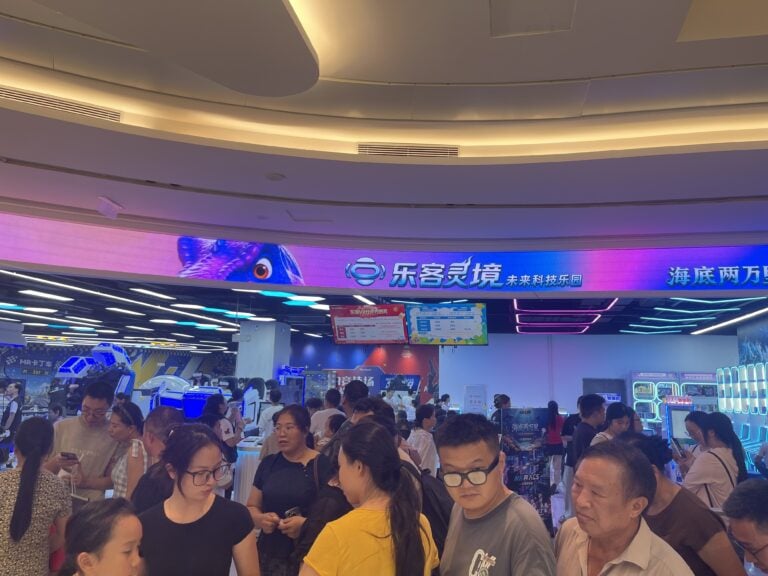
After-sales request path
A useful service request starts with the model and serial number, not “the machine is broken”. This path keeps diagnosis short.
Send the basics
Model, serial number, country, installation date, what happened, what you already tried, and photos or a short video of the fault.
Remote diagnosis
Our service team reviews the information and asks for specific tests. We do not ship a part until the likely cause is identified.
Part or escalation
If a part is required, we quote the part, lead time and freight. If the issue needs engineering escalation, it is assigned to the relevant hardware or software team.
Close-out
The service file records the cause, action and replacement part. Repeated faults are reviewed against the model's history.
Response is handled during Guangzhou business hours. Urgent escalation outside those hours is by agreement and is not presented as 24/7 coverage.
Spare parts and consumables
VR arcade maintenance is easier when a small spares kit ships with the order. VR spare parts are model-specific; the exact list depends on the machine and how hard the venue runs it.
| Category | Typical handling |
|---|---|
| Wear parts | Headset straps, hygiene covers, cables, connectors and other consumables. Quoted as consumables, not warranty items. |
| Electronic modules | Control boards, sensors, power supplies and motion controllers. Model-specific; serial number required. |
| Mechanical parts | Belts, bearings, actuators and structural components. Lead time depends on the model and stock. |
| Freight and customs | Parts are dispatched from Guangzhou. Freight, duty and local clearance are quoted separately unless the agreement says otherwise. |
Warranty: what is covered, what is not
Warranty terms are model-specific and written into the supply agreement. This table is a summary, not a substitute for that agreement.
| Item | Position |
|---|---|
| Manufacturing defect | Covered for the warranty period stated in the agreement, after remote diagnosis confirms the defect. |
| Consumables | Not covered. Hygiene covers, straps, cables and similar wear items are purchased separately. |
| Physical damage | Not covered. Impact, water, improper transport, unauthorized modification and electrical damage are excluded. |
| Local labor | Not included unless quoted. The buyer provides local technicians and access to the site. |
| Network and third-party devices | Not covered. Internet, routers, payment terminals and third-party hardware are outside the equipment warranty. |
VR Manager content and updates
VR Manager is our in-house content platform. It carries 700+ games with ongoing updates. The service team can help with account setup, content access and update questions; custom content development is a separate scope.
Account and library access
We confirm the account, the licensed content set and the venue's network access before opening.
Content updates
Updates are released through the platform. The venue needs a stable connection and a maintenance window for installation.
What is not included
Custom game development, local marketing content, network infrastructure and on-site content staff are not part of standard equipment support.
Service coverage
We support installations in 40+ countries, with remote coordination from Guangzhou. Coverage is not a promise that an engineer can be at every site within a fixed number of hours.
| Support type | How it works |
|---|---|
| Remote support | Video call, photos, logs and remote configuration. Available during Guangzhou business hours; time-zone differences are handled by appointment. |
| On-site support | Quoted per project after the remote diagnosis. Travel, visa, accommodation and local labor are included in the quotation when applicable. |
| Partner support | In some markets, local technicians can be arranged through partners. The scope and cost are confirmed before work starts. |
| Spare parts | Dispatched from Guangzhou. The buyer handles local clearance and installation labor unless agreed otherwise. |
What to send with a service request
Include these items in the first message. It usually removes two or three rounds of questions.
Machine identity
Model name, serial number, installation date and the country/city of the venue.
The symptom
What happens, when it started, whether it is constant or intermittent, and any error message on screen.
Evidence
A short video of the fault, photos of the wiring or part, and the last action before it appeared.
What you tried
Power cycle, cable check, account login, content restart — tell us what changed, even if it did not help.
Send service requests to [email protected] or WhatsApp +86 153 6087 7766. For commercial or project questions, use the contact page instead of the service inbox.
Service FAQ
Is installation included in the equipment price?
Do you provide 24/7 support?
How long does a spare part take?
Can you train our technicians?
What is not covered by warranty?
Need help with an installed machine?
Send the model, serial number, country and a short video of the fault. We will tell you what to test first and whether a part or an on-site visit is the right next step.